Android applications have significantly enhanced the convenience of our daily tasks. However, their widespread adoption makes them attractive targets for security vulnerabilities. Recently, to advance my Android penetration testing skills, I tackled the BugBazaar Android CTF provided by Payatu and AndroidGoat. In this blog, I will demonstrate my approach to bypassing root detection mechanisms in a CTF-style Android application. This guide aims to provide clear, practical solutions suitable for beginners or seasoned testers seeking to bypass common security implementations.
Understanding android root detection bypass
Developers commonly implement root detection mechanisms in applications to prevent execution on rooted devices, enhancing security. Root detection typically triggers an error, preventing the application from being installed or executed. Bypassing root detection involves altering application behavior to ensure it runs smoothly on rooted devices.
There are three effective methods to bypass root detection:
Using Frida Codeshare
Using LSPosed and Magisk
Using Objection
Method 1: Frida Codeshare
The initial step is to identify the root detection technique used by the application. In our case, the RootBeer library was implemented for root detection, which can easily be bypassed using Frida Codeshare.
I employed the "RootBeer root detection bypass" project from Frida Codeshare using the following command:
frida -U --codeshare ub3rsick/rootbeer-root-detection-bypass -f com.BugBazaar
This simple yet effective approach enables the application to run normally on a rooted device.
So, as you can see below, the application begins to close as soon as it detects root.
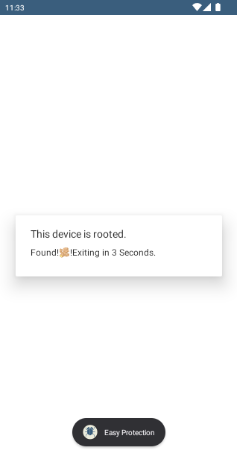
I used the Frida Project: RootBeer root detection bypass from Frida Codeshare to bypass root detection.
Command: frida -U --codeshare ub3rsick/rootbeer-root-detection-bypass -f com.BugBazaar
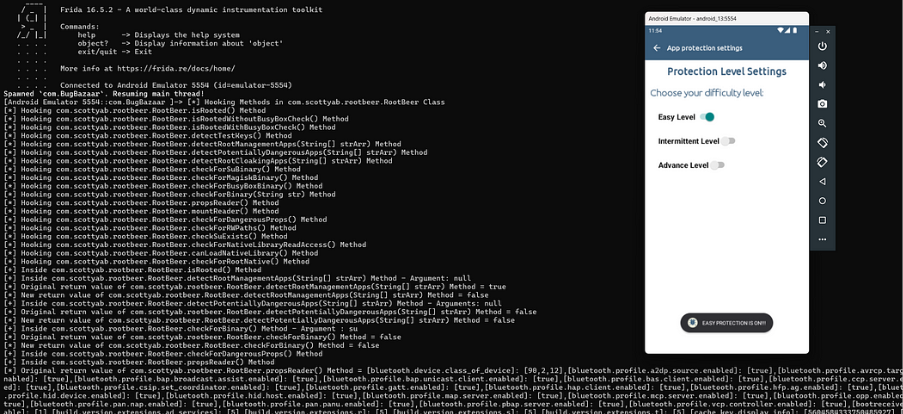
And it’s done!! The application will work normally.
Method 2: LSPosed and Magisk
LSPosed is a sophisticated and stealthy framework built on top of Riru, integrated with Magisk. This approach allows modifying system behavior at runtime without altering the application code. Procedure:
Root the Android device using Magisk.
Install LSPosed as a Magisk module.
Activate modules such as "BypassRootCheckPro" to mask root-related binaries and system properties from the application.
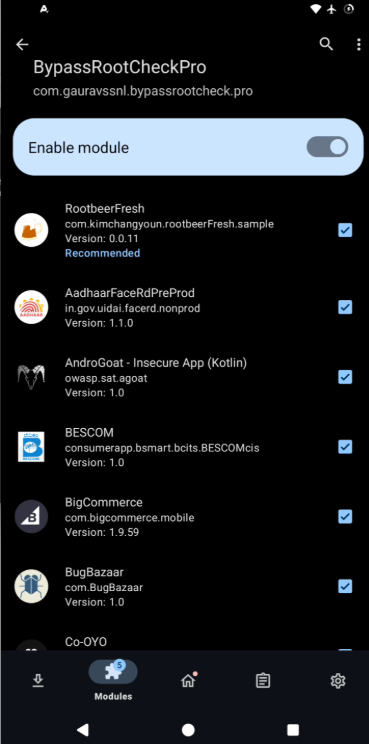
After applying these modules, clear the application cache, reopen the app, and it will no longer detect the device as rooted.
Method 3: Objection Tool
Objection is an open-source tool designed to analyze and manipulate mobile applications at runtime, without requiring the device to be rooted or jailbroken.
As you can see in the image below, the application is detecting the rooted device, which means some applications, such as banking applications, will not work on the Android device. To hide the root detection by the application, we can use the Objection tool.
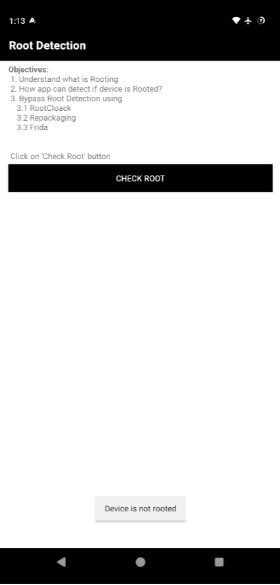
Procedure
Ensure the Frida server is running and connected.
Retrieve the package name using Frida:
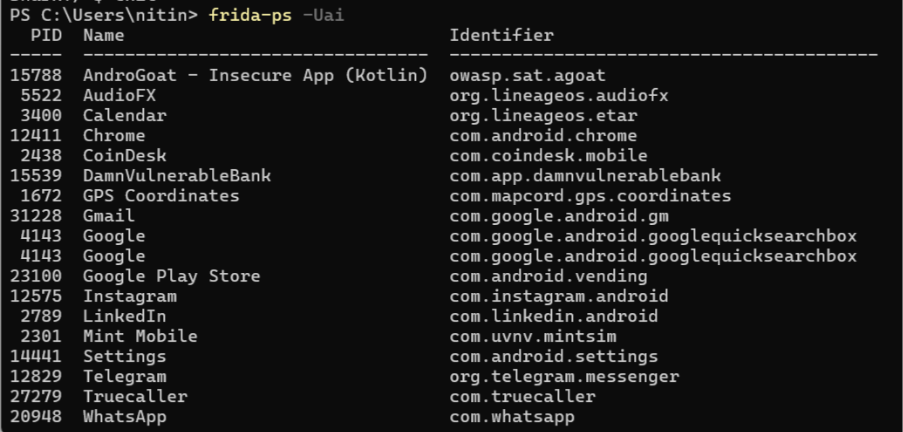
Get the package name and run the objection command: android root disable.
Then run the command objection --gadget com.packagename.value explore.
Then type android root disable.
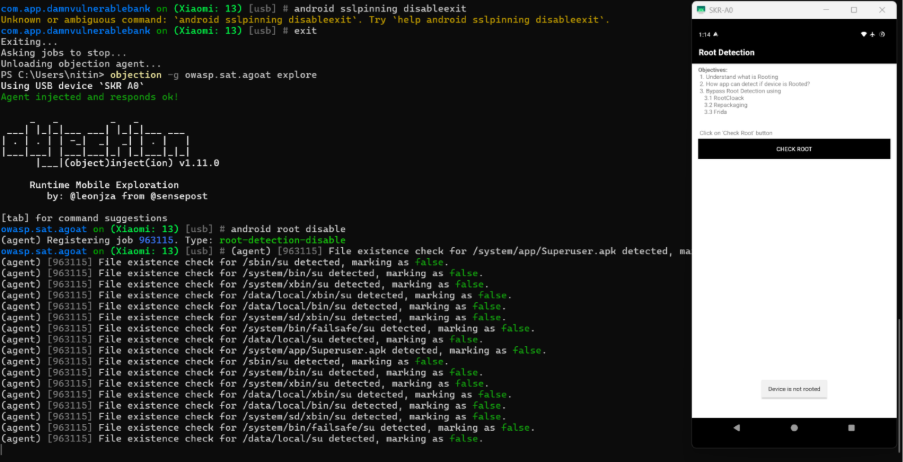
This successfully hides the root status from the application.
Conclusion
By following these methods, testers and developers can effectively bypass root detection mechanisms during penetration tests or security assessments. The techniques outlined above — using Frida, LSPosed, Magisk, and Objection — are powerful and reliable tools that can be adapted for various testing scenarios.
Note: A comprehensive guide to setting up Frida Server and the other tools mentioned will be provided in our upcoming blog on SSL Pinning Bypass.